
.webp)
netmirror extension Latest Version Free Download for Android
Welcome to your premier destination for mobile optimization tools tailored for users across India. The netmirror extension mobile app is designed for individuals who seek reliable performance, quick access to essential features, and an organized digital workspace right on their smartphones. Whether you are managing everyday tasks or exploring new ways to enhance your mobile productivity, this utility brings numerous capabilities into one streamlined interface. Designed with modern Android users in mind, netmirror extension free download offers a seamless experience that respects your device resources while delivering consistent results. Dive into the world of smart mobile management and discover why so many enthusiasts choose this tool for their daily digital needs.

- Fast loading times across various network speeds
- Intuitive user interface designed for all age groups
- Lightweight architecture preserving device storage
- Optimized performance for budget and flagship Android devices
- Simple installation process requiring minimal configuration
- Instant access to updated tools and features
- Hero
- Featured APKs
- Editor's Choice
- Latest Updates
- FAQ
What is netmirror extension
The netmirror extension Android app functions as a comprehensive utility platform that bridges the gap between complex digital tasks and everyday smartphone usage. It consolidates various operational modules into a single, cohesive environment, allowing users to navigate through different tools without needing multiple separate applications. By utilizing smart backend synchronization, the platform ensures that resources load quickly and efficiently, even when operating on standard mobile data connections across different regions of India.
Users frequently appreciate how the system adapts to individual preferences. The layout eliminates unnecessary clutter, presenting only the most relevant controls and navigation options on the main screen. This focused approach reduces cognitive load and helps users accomplish their goals faster. Furthermore, the development philosophy behind the netmirror extension latest version emphasizes stability and responsiveness, ensuring that everyday interactions remain smooth and dependable from launch to close.
- Centralized control panel for fast navigation
- Responsive design adapting to different screen resolutions
- Low background resource consumption for extended battery life
- Clean visual structure reducing unnecessary distractions

For individuals who value efficiency and straightforward design, the application provides a reliable alternative to heavier software packages. It does not demand high-end hardware specifications, making it accessible to a vast audience using diverse smartphone models. Whether utilized during a daily commute or while relaxing at home, netmirror extension mobile app delivers a consistent and reliable user journey that aligns with contemporary mobile standards.
Key Features of netmirror extension
Streamlined User Interface
The interface of the netmirror extension update APK is built around clarity and ease of use. Menus are arranged logically, ensuring that new users can find their way around without requiring prior tutorials or technical guidance. Every button responds instantly to touch inputs, creating a fluid navigation experience.
Adaptive Resource Management
Efficiency is a core pillar of the platform. The system dynamically adjusts its internal processes based on the available RAM and CPU capacity of your device. This ensures that background tasks do not interfere with other critical smartphone functions.
Offline Compatibility Elements
Certain functions remain accessible even when internet connectivity fluctuates. This is particularly advantageous for users in areas with intermittent network coverage, allowing uninterrupted interaction with previously cached tools and data.
Customizable Preferences
Tailor the application behavior to match your personal workflow. From visual themes to notification parameters, users can modify settings to create a comfortable and personalized environment suited to their daily routine.
Regular Performance Refinements
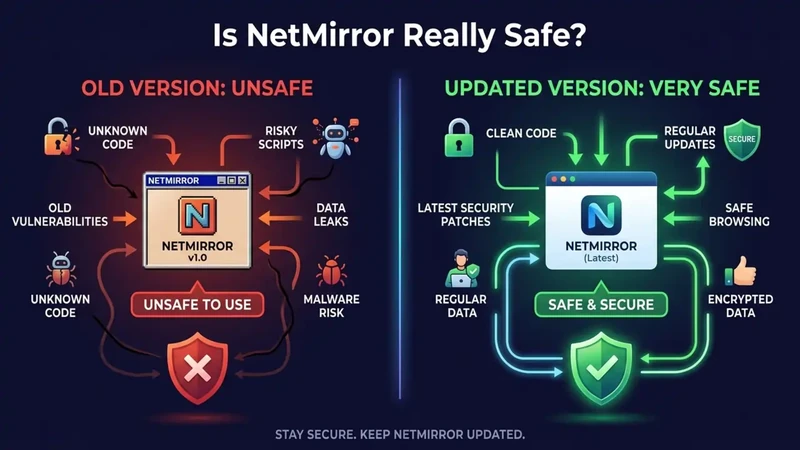
The underlying code receives frequent optimizations aimed at eliminating bugs and improving overall execution speed. These periodic refinements ensure that the netmirror extension safe installation maintains peak efficiency over extended periods of use.
Lightweight Installation Footprint
Storage management is a priority for many mobile users. By keeping the netmirror extension APK file compact, the application leaves ample space for your personal photos, media files, and other important software.
Enhanced Privacy Controls
User data management adheres to strict standards, limiting unnecessary data collection and ensuring that your personal browsing habits remain private while utilizing the features provided within the application environment.
Pros and Cons
| Advantages | Considerations |
|---|---|
| Simple and clean navigation for all users | Requires manual installation via APK file |
| Lightweight design saving device storage | Dependent on stable internet for certain live features |
| Optimized for low-end and budget devices | Updates must be downloaded manually |
| Quick setup without mandatory registration | Limited official support channels |
How to Download & Install netmirror extension
Getting started with your new utility is a straightforward process when following the correct sequence. Because the netmirror extension install app package is obtained externally rather than through standard mainstream storefronts, a few basic security permissions on your Android device must be adjusted beforehand. Below is the step-by-step procedure to ensure a smooth and error-free setup on your smartphone.
- Download APK file from a trusted source
- Enable Unknown Sources in your device security settings
- Install APK by tapping the downloaded file
- Open app and enjoy its complete feature set
Before initiating the download, ensure your device has sufficient battery life and a stable internet connection. Once the download of the netmirror extension free download package completes, locate the file in your device storage manager. Tap the file to prompt the installer interface, review the requested permissions, and confirm the installation. Within moments, the icon will appear on your app drawer, ready for immediate use.

Alternatives to Consider
While netmirror extension offline installer provides a robust set of features, exploring alternative options can help you determine the best fit for your specific requirements. Several distinct tools offer comparable utility services within the Android ecosystem.
Alternative Alpha Utility
A feature-rich platform focused on deep system integration and advanced customization options for power users.
Alternative Beta Toolkit
A minimalist application designed for quick task execution and minimal resource consumption on older mobile devices.
Alternative Gamma Manager
An enterprise-grade utility offering extended synchronization capabilities and robust data management features.
Frequently Asked Questions
What is netmirror extension used for?
The application serves as a versatile mobile utility designed to streamline daily tasks, improve device efficiency, and provide quick access to organized digital tools on Android smartphones.
Is the netmirror extension APK file free to download?
Yes, the application is available for free download, allowing users to access all core features without requiring any upfront payments or subscription plans.
How do I perform a netmirror extension update APK?
To update the application, you need to download the latest APK file from a trusted source and install it over your existing version to retain your saved preferences and settings.
Does the netmirror extension Android app work on budget phones?
Yes, the application is optimized to run smoothly on a wide range of devices, including budget and entry-level smartphones with limited hardware specifications.
Is a user account required to use netmirror extension?
No registration or account creation is necessary. You can launch the application and begin utilizing its features immediately after installation.
How can I ensure a netmirror extension safe installation?
Always acquire your installation files from reputable and trusted web sources, and only grant the necessary system permissions requested during the setup process.

Conclusion
Incorporating the netmirror extension into your daily mobile routine offers a practical way to enhance productivity and simplify complex digital tasks on Android. With its lightweight architecture, responsive interface, and commitment to efficient resource management, it stands out as a valuable addition to any smartphone. Whether you are upgrading from older tools or seeking a more streamlined approach to mobile organization, downloading the netmirror extension latest version provides an effective solution tailored for modern users across India.